Showing posts with label Google Meet. Show all posts

Friday, October 8, 2021

WHICH SPANISH TO ENGLISH TRANSLATION SERVICES ARE BEST IN 2021?

 Online Translation services for Spanish Language


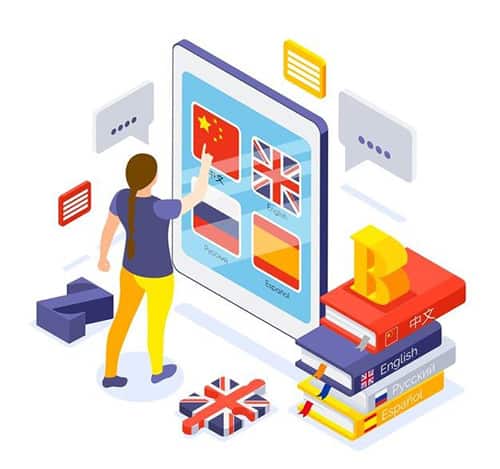
Online Translation services have got immense attention, especially in this pandemic. The reason is the distance is minus because of online video call portals such as Zoom and Google Meet. These services are offered online and as well offline. With its hype, the attention and searches about types of translation services surpass unexpectedly. People have specific searches according to their needs and interest. Among all the language for translation services is the main concern. English is a universal language and most of the translations happen in these particular languages because it is not culture-specific. Therefore, the trend of translation is biased towards English. But with the emergence of Spanish as the second most spoken language in the world trends start to shift in favor of it. In 2021 there is seen constant traffic on Spanish Language translation services. Spanish to English services are researched and Languagers have curated content to find out which types of translation services are popular. 

Types: 

The type of Translation services does not vary with languages. Translators offer any form of translation in the desired language. However, there are certain limitations that arise while doing so. We will further discuss this in the text. However, there are several types of translation services listed below. 

1. Certified Translation services 

2. Medical Translation Services 

3. Technical Translation Services 

4. Legal Translation services 

5. Financial Translation services 

6. Software Translation Services 

Certified Medical Translation services in English

Spanish Translation Services: 

It is quite remarkable how that how people are started owning their language. The speakers are responsible to feel the need and concerns about their mother tongue. Like Spanish many languages are entering as a mainstream language in the business world such as Arabic, Mandarin, and Portugal. However, Spanish Translation Services are becoming famous because of the increasing importance of the Spanish language. It is prevalent in education systems. Children are acquainted with this language hence textbooks and software use this language. 

Spanish to English: 

The shifts towards the Spanish language as the primary language and English as a targeted language are happening majorly because of the statistics in the usage of both languages. It is observed that on social media platforms Spanish is used by 377 million people as a language of communication. Social Media have a great role in marketing. Trends are seen transparently in today’s world. Therefore, Spanish to English Translation services is famous. Bilinguals have an immense scope of career these two languages. 

Why us? 

Translation Services providers are of main concern after the language. Therefore, people tend to look for an agency with updated work patterns. They seek companies whose policies are updated by the standards of present times. Languagers have such quality to remain connected with its time. It regulates the new trends and techniques to polish its translation services. This is one of the reasons to hire this company. 

Conclusion: 

Which Spanish to English Translation Services are best in 2021? The answer lies above. A specific type is never considered the best. It is the language that makes every translation unique and different from one another. Because every language belongs to a particular culture. That culture refers to the diction and perception of the people speaking it. In this regard, its conversion from one language to another varies greatly and translation also differs. The team of professional translators and the experience they got from worldwide clients is exceptional. It deals with variety and has enough understanding of the subject matter of the topic that needs translation. However, languagers have an amazing portfolio of satisfied clients. Check it out. 

Thursday, October 7, 2021

HOW TO ADD AN INTERPRETER TO MY GOOGLE MEET?

 Simultaneous Interpretation in Google Meet

Google Meet is one of the most used video conference applications that gain immense popularity during times of pandemic. It is still the first choice for presentations and business meetings. With the simultaneous interpretation feature, it is loved by its users as the language barrier is overcome with it. How to add an interpreter in a Google Meet is a valid question. But the answer is quite simple. Google Meet is famous for its user-friendly interface and that is why adding an interpreter or to avail any other service on this platform is quite convenient. Languagers have researched Google Meet in various dimensions. First Let’s see how to add an Interpreter to Google Meet. 

Steps to add Interpreter: 

1. The first step is to go to Google Meet. On the landing page, there is a clear option to create a meeting room. Click that and your chat room is ready for audio and video calls. Share the link with the participant and start your meeting. 

2. The users and interpreters are on the same board. There is no specific room for the interpreters. They are differentiated through the extension. A secondary interpretation room is opened through the extension. Otherwise, two windows are needed one for the interpreter and the other one is for the participant. 

3. Activate the extension after downloading it. Follow the instructions and paste the link provided. 

4. Interpreters will gain a separate channel for them that could be seen by the other participants. Both of the parties would have control of the volume of the meeting. 

5. Users can see the mini-view of interpreting meetings and their videos are muted. The interpreter would have the access to an open mic for the specific user as per convenience. 

Video conference applications for deaf

Overview: 

There is no formula to add an interpreter in Google Meet. An extension is needed for the interpreter. Rest upon activation it will guide the user on how to operate to which is quite convenient. However, Google Meet is famous for its user-friendly interface. 

Why Google Meet? 

Among many video conference applications why Google Meet?  Well, it is completely up to the user’s choice. Zoom, Microsoft Teams, WebEx, and many other video conference applications are on the board. They also have a fair amount of popularity among their users. However, Google Meet may lag in some features but it has a friendly user experience that makes it popular among the users. 

Its Feature: 

It has various features for the users. Live captions for the hard of hearing people are offering convenience to them to read and understand the subject matter of the meeting and the conference. This feature caters to the marginalized group of people that are deaf and physically disable. Deaf and other physical disability that functions as a language barrier are overcome through live captions. Besides, it also has keyboards shortcuts to access the camera and microphone through them. These shortcuts save time and do the work swiftly.  

Conclusion: 

How to add an interpreter in Google Meet is stated above. However, while researching it is observed that it can be considered a drawback of using Google Meet as the interpreter adding needs an extension that makes a little extra effort to use Google Meet inflow.  However, it is quite simple if once understood. But it could be inconvenient for some users. However, languagers have started the process in a simplified form. The company is always up to the user’s ease. Its client-centric customer service is its best feature. It is recommended to stay tuned with us to get updated with the best content. 

Wednesday, October 6, 2021

CAN GOOGLE MEET INTERPRETERS SERVICES WORK FOR A DEPOSITION INTERPRETER?

 Zoom Video medical conference legal interpretation

Google Meet Interpreters services have made a difference in telecommunication. Virtual assistance in the form of interpretation has extreme benefits in discovering new modes of communication. The question arises can these interpreters work as deposition interpreters? The answer is yes. Google Meet Interpreters services can be used in offering deposition interpretation.  It is a common practice in today’s post-pandemic world where users prefer online interpretation services because they are convenient than others. However, the deposition is available in any unusual and uncommon language as online portals like Google Meet and Zoom offer various languages for interpretation. Therefore, languagers have studied in detail how online interpretation services work for legal interpretation. Let’s dig into it. 

What is Google Meet? 

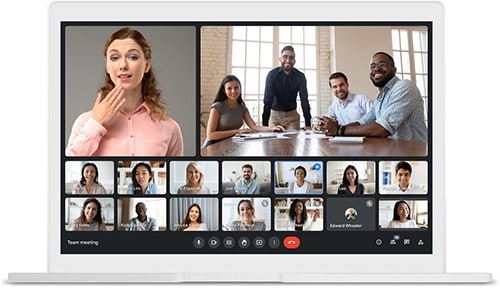
It is an online portal by Google for virtual communication worldwide. It is popular for its simple and convincing interface. There are no complex loops to operate it. New users can easily detect how to use it effectively. It offers texts, voice, and video chats for groups and individuals. Furthermore, its packages are pocket-friendly and exhibit space for several participants up to 30. Hangouts are its extension which makes it further easier for users to approach it. One of the distinguishing features of Hangout is it manages to hold 250 people in meetings. 

What is a deposition interpreter? 

A deposition is a testimony for court by the witness of an event. Upon giving the deposition the lawyers further proceed with the investigation and ask about their doubts and concerns regarding a court matter. The response given by the witness is documented in written form. 

Google meet interpreters services for deposition interpretation

The deposition happens without the presence of a jury and judges. It is the initial step to understand the information given by both the parties and witnesses of a specific case. The deposition interpreter makes sure that the non-English speaker participant’s speech is accurately interpreted and conveyed to other members. It holds significant importance because at the time of trial judge takes notes from the initial statement. 

Google Meet Interpreter for Deposition: 

There is no confusion on this if Google Meet can offer interpretation services for legal deposition. The main concern is confidentiality and our renowned online portals like Google Meet and Zoom have end-to-end encryption. Therefore, there is no chance of inconvenience. Translate or interpret legal documents and proceedings require the same confidentiality as Google Meet offers. 

Deposition interpretation is not limited to physically present interpreters, especially in the police stations. Online interpretation services work for this cause. It is running well in times of technological advancement. However, Languagers is one of the distinguished platforms to offer interpreters through online portals. It specializes in deposition, trials, hearings, meetings arbitration, conference calls, medical examination, and insurance statements. Its team is professional and capable to offer a legal, medical or educational interpretation. Google Meet interpretation services are one of the best options to choose for deposition interpretation tasks. 

Conclusion: 

The title of this discussion was quite intriguing. Can Google Meet Interpretation services work for deposition interpreters? It’s quite obvious as in this pandemic most of the matters are subjected online so does the judicial proceedings too. Besides, Google Meet is a trusted video communication platform that offers maximum value and benefits to its users. Hence, it is concluded there is no doubt in opting for this option. Languagers is playing a significant part in uploading content that addresses the visitor’s need. To stay connected and get more of such amazing content subscribe to us.  You won’t regret connecting with us.

Thursday, August 26, 2021

HOW DO I USE SIMULTANEOUS INTERPRETATION IN GOOGLE MEET?

 How do I use simultaneous interpretation in Google Meet?

Simultaneous interpretation has relieved the speakers of two languages. Many platforms are providing this feature while online conferences and business meetings. Google Meet is one of the platforms that offer Simultaneous Interpretation with numerous languages options. Listeners and speakers have the access to make a room for interpretation and can listen to their respective languages. 

How to use Simultaneous Interpretation? 

The answer is that it requires opening a new window for the interpreter in the form of a link. This link is attached to the main meeting link and speakers and listeners can listen to their language Interpretation respectively. Controls are in the hand of users to adjust the volume and mini screen of the interpreting meeting. 

Step 1: 

Determine that your internet connection is stable or not. An unstable internet will nullify the purpose of a meeting or a conference because of its reloading and connecting again and again. 

Step 2: 

Open your browser and choose your Google account. If not then create a Google account. It is easy and free to create it in some minutes. 

Step 3: 

The next step is to invite the other participants to the meeting through a link. This link is the gateway to enter the meeting room of Google Meet. 

Extension of Simultaneous Interpretation: 

There is a need to add an extension for Google Simultaneous Interpretation in your web browser. Without the extensions, the feature is not accessible. On entering the Google meeting room a new channel can be made for the interpreter. And that interpreter is accessible to every user in the meeting room. Select the relevant language and add the respective interpreter. 

Security Features of Google Meet: 

It offers confidentiality to the information and conversation happening at the conference. It has well-grounded anti-abuse features by default. All video meetings are also encrypted in transit. Google meet is advance and ensures its workplace for educational fundamentals, health care, and nonprofit organizations. It has helped in collaborating millions of people by sitting in their homes and working hours and hours and interacting with other employees through Google Meet. 

health care language Interpretation in business meetings

Errors in Google Meet: 

It cannot be claimed that if the software is popular and widely used then it is error-free. 

Support Dialing:  

One of the reasons to unable to join the meeting is that the phone dialer is not supported in your country. Always check that your country is included in the list of speed dial in Google Meet. 

Google Workspace: 

Another error is in the education fundamentals account for Google is that the creator of the meeting is allowed to enter the participants into the meeting room. Problem happens during a class when accidentally a user is signed out of the meeting room because of an unstable internet connection and it has to wait till the creator let him/her enter again. 

Not Available on Mobile Devices: 

It is one of the major drawbacks that Google Meet mobile version is not available. A desktop or laptop is important for using Google Meet. 

Conclusion: 

Using a Simultaneous Interpretation by Google Meet is easy and accessible. It’s free for up to some members. There are also various errors in using it but it is widely popular as well. Google meet offers confidentiality and several languages to interpret. The only effort needed is to an extension into the web browser. It is playing its role in letting collaborate millions of people daily. It has its errors too but there are ways to overcome them. Languagers have more amazing and informative content on Google Meet and other video conferencing applications. Check it out 

Wednesday, August 4, 2021

HOW TO ADD AN INTERPRETER TO MY GOOGLE MEET?

 Language Interpreter for foreign languages

Are you a travel-enthusiast who loves to explore new things? We know how complicated it is for you to learn a new language whenever you travel. You must communicate with individuals belonging to different lineage, cultures, and foreign languages. How difficult would it be for you to look through the dictionary to know the relevant words to convey your message and someone will accompany you to interpret it every time. Nevertheless, when you talk to people who aren’t familiar with your language, then disrupted interactions may cause issues. But this is not always the case!  

So how will you make things work? Well, Google is constantly updating the new functions for instance you can activate your device’s interpretation mode. Nowadays, Google makes it easier for you to interact with multilingual people by its interpreter mode that facilitates you in translations. When it comes to Google Meet, it has some beneficial browser additions that can add some significantly needed features.  

Google Meet 

Before we start, keep this in mind that Google makes extra efforts to provide additional features for the video conference services such as noise reduction, improved light and much more to improve your sound and appearance. If you cannot keep up and could not understand the agenda of video conference, you can turn on closed captioning options as well. Please note that if the meeting is recorded, closed captions will not be seen when the recording is played back. If you are using Google Meet, the translations or captions are usually only available in English on a computer, unless you live in Asia Africa, Europe, Pacific or Middle East. 

Did you know that captions for Google Meet’s video calls are now accessible! You can add Google Meet conference option and align your meeting. The change in its settings will now tell you that if it’s good for the larger group and the captions are readable or not. There will be no need of a second app within it comes to these automatic captions. Nevertheless, this will not help you in recording conversations but the automatic captions on Google Meet will work with any device. 

English Captions for conversations in Conference

Google Meet and Connection with An Interpreter  

When it comes to Google Meet, you can display presentations/slides on a split screen. Make an audio connection online with an interpreter and silent the computer’s speakers and microphone. Then, you can connect to the meeting video and you can pin the split screen and those people on other connection. This means that same devices with separation connections will be used for the interpreter and the people you want to see. In such a way, it helps to break the language barrier and translate the conversation for you. You should know that Google Meet has completed its implementation, and anyone with an email address can use it for free video conferences. To allow it, there is the “Turn on Captions” button available so get this done to avoid further hassles.  

Bottom Line 

There’s no denying the fact that the language barriers are no longer a problem. The use of professional language services and instant video remote interpretation also plays an important role especially with the presence of interpreters. We at Languagers, exactly know what comes in your mind when you are looking for interpretation services. Fortunately, making use of mobile phones for interpretation break the cultural and language barriers and help the businesses in turn. So, what do you think? Share your comments and thoughts with us in the comments below. 

Monday, August 2, 2021

HOW MICROSOFT TEAM SIMULTANEOUS INTERPRETATION WORKS?

 Microsoft Team and Zoom for Simultaneous Interpretation

Microsoft Team is a video calling and conference company. It is a technology-driven initiative and believes in innovation, diversity and inclusion, and corporate social responsibility. It’s on worldwide locations and contains a large global network. Microsoft is a guardian to your photos, videos, chat history, and meeting notes. It has provided convenience to chat, meet, call and collaborate. The products it offers are online meetings, video conferencing, screen sharing, custom backgrounds, and virtual events. Microsoft Team Simultaneous Interpretation is making a huge impact on people’s business meetings. Let’s explore how simultaneous interpretation works? 

No interpretation feature

Microsoft Teams offer no interpretation feature like other video conferencing applications. But it offers interpretation in a separate app and browser. It requires two meetings’ windows one in the original language and the other in the language required. Running a multilingual conference is not an easy task. Training is needed for interpreters, conference organizers, broadcasters, AV professionals. Microsoft Team also offers a paid version that consists of E1, E3, E5, or enterprise. It provides simultaneous language Interpretation through Integrated apps. These apps can be opened in another browser while using pc. Also, they could be downloaded too. 

Zoom, Kudoway, and Interprefy commonly used integrated apps:  

Microsoft Teams offers integration with the applications that count on Zoom, Kudoway, and Interprefy. These applications need to be downloaded or opened in another browser to listen to the Interpretation.  They are commonly used and widely popular regarding Simultaneous Interpretation. Microsoft Teams do not exhibit a feature of Simultaneous Interpretation. 

How does Microsoft Teams Integration work? 

Microsoft Team is an umbrella term that contains project management, file sharing, and business intelligence, to work on one board with the compilation of the huge data under one roof call Microsoft Teams. It contains several apps to make the user work on different aspects while staying connected to the Teams. Its language Interpretation works simultaneously with the apps like zoom, Kudoway, and Interprefy. They have a separate interface to enable simultaneous language Interpretation. In addition, Languagers have interesting content on Zoom Simultaneous Language Interpretation. 

language Interpretation for video conferencing

Interesting Facts about Microsoft Teams 

Microsoft Teams have exciting facts beyond its language Interpretation and integration with applications. It’s a chat app and the chat function it holds offer private and group chatting with many features. One of the interesting chat features is its formatting and emoticons. Its fast connection with the person to whom the user wants to talk is error-free and swift. It immediately connects you to the other person with just one click away. Many users have a claim and praised the security feature of Microsoft Teams. Its two-factor data authentication and data encryption offer reliable safety to the user. It also syncs the calendar for meeting schedules and more. 

Simultaneous Interpretation with Zoom and its features:  

Zoom Language Interpretation deals in nine major languages. It has an audio channel for the interpreter. Interpreters get to assign their roles in the meetings and interpret the target language to the listener. Zoom Simultaneous Interpretation feature offers all the roles in the hands of the host. Even a co-host cannot make changes and assign the role in a conversation happening. It also offers a free version to use. It is the most popular integrated app and uses widely for Simultaneous Interpretation. It also has strong competitors like Google Meet and Webex but Zoom is used by millions. 

Conclusion: 

Microsoft Teams is a mother term that offers chat and video conferences but for simultaneous Interpretation, integrated apps work to enable this feature. It’s do not exhibit an inbuilt feature in Microsoft Teams. However, the interface is convenient to use and the applications are light in size to download and listen to the interpretation. They can also be opened in another browser and used. 

Tuesday, July 20, 2021

COMPARISON BETWEEN LANGUAGE INTERPRETATION FEATURE BY ZOOM AND GOOGLE MEET

 Google Meet in video conferences for multiple Language

Language Interpretation Feature by Zoom and Google Meet are the features used widely for meetings and webinar purposes. Virtual working requires tools for video meetings. This pandemic has restricted the people to their homes but working must go on. Multilingual take part in video conferences and meetings hence a wide variety of interpreters also requires to meet the demand. Zoom and Google Meet are providing Language Interpretation Features to make the flow of work convenient but what to choose? Come let’s find out. 

Zoom Language Interpretation Feature: 

Zoom is in use of millions of people and its popularity has increased immensely in this pandemic that counts on from 10 million download to 300 million. It’s massive! 

Manual Enabling of Interpretation Feature  

It allows the host to assign the roles of an interpreter during meetings. It works manually. While scheduling the meeting the feature must be enabled to add interpreters. Otherwise, the interpreters are added as a participant of meetings and they have to sign in additionally in the meeting through different id. 

Controls are in the hands of the Host: 

The main host is the controller of the meeting. All rights are with him/her to add or delete the participant. The co-host does not have any access to take any decision during the meeting. 

Language Support: 

Zoom only supports nine major languages to interpret. It is not enough to cater to the needs of multilingual participants from all around the world. The languages it caters are English, Japanese, German, French, Russian, Portuguese, Spanish, and Korean. There’s room to add a lot more languages to make it more accessible. 

Free Option: 

Zoom provides free options to use its features with minimum participants and fewer features. 

Language Interpretation Feature in Google Meet: 

In plenty of platforms available for a video conference Google Meet Language Interpretation Feature is the popular one. It is quite reliable but due to the competition, some comparisons should be drawn what to prefer what to not. It also caters to multilingual to ease them during conferences and meetings. Features are relatively the same of all the interpreting tools but some distinctions make one tool a priority over the other.  

Well-organized: 

Google Meet allows the interpreters to make a separate link for the interpreter to add them to the conference or meeting. It does not amalgamate the participants and interpreters on the same link. It is well organized in that sense.  This link building avoids inconvenience if the host forgets to add the interpreter. Interpreters can switch its role immediately without any second option.  

Interface:  

Google Meet offers a user-friendly interface with minimalistic features. People who are not computer literate especially during pandemics many started using these video conference tools. So Google Meet does not offer any difficulty to first-time users too. Each option is easy to navigate. 

 Languages: 

Google Meet offers many languages as compared to Zoom. It offers up to 90 languages to interpret. This feature makes it reliable for people around the globe and does not restrict its reach. 

Language Interpretation by Zoom and its features

 Free Option: 

It also offers it free option to use with minimal features. To get the most of the facilities with a large audience paid version is also available. 

Conclusion:  

With time various more applications will be introduced in this stream of the video conference. Zoom and Google Meet have already their competitors in the market but they are working well. Both of them are offering exceptional integrating services with the other apps. It can’t be said that one is a priority with the other one. Both are doing fine at their places. Languagers aim to create unique content for the visitors so stay tuned for more. 

ASL VIDEO INTERPRETATION SERVICES: HOW DO THEY HELP PATIENTS WITH HEARING DISABILITIES?

Although American Sign Language (ASL) interpreters play a crucial role for the people and especially for the whole deaf community but the ad...