Showing posts with label Zoom. Show all posts

Tuesday, September 7, 2021

INTERESTING FEATURES OF WEBEX LANGUAGE INTERPRETATION

WebEx by Cisco is a company that offers business collaboration solutions. It increases productivity and business agility with its products. That counts on networking, software, the internet of things, mobility, security, collaboration, and data center. The most interesting service it offers is Language Interpretation and also sign language Interpretation like Zoom. Its connecting business on a large scale. Though these service providers are producing market competition WebEx is also in the game. 

Features of WebEx Language Interpretation: 

Language Interpretation and sign language Interpretation is an important feature in business and meetings. It also works well for schools, government, and colleges. WebEx provides some interesting features in its language Interpretation that make it unique from its competitors. 

Customization: 

WebEx offers to its user the languages combination needed to interpret the languages. It has devised solution-based problems for the users. 

Set on mute: 

One of the interesting features of WebEx is that the host can set every participant on mute. It offers the least inconvenience for whole interpreting and translations. A peculiar number of participants can contribute when needed otherwise they can listen to the conversation happening. 

Security Feature: 

WebEx offers high-quality security, especially for business meetings. Encryption and user authentic optimization are available for video conferencing. Data security is much important for video conferencing tools. As a large number of participants are contributing and everyone is conveying tactics and strategies of their business. Data is shared with a wider audience hence the content is official. Chances are more to get attacked by the hackers in this case. So, WebEx is safe and well-encrypted. 
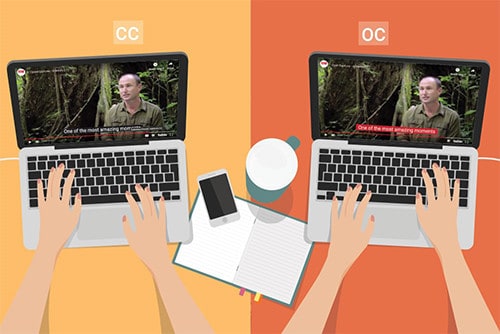
Captions in video conferencing for Conversation

Noise Removal: 

It works significantly for noise removal. Background noises can disrupt the whole idea of a meeting leading to ineffective communication. But with WebEx noise is removed leading to the effective conversation and language Interpretation. 

A live attendant: 

WebEx contains a live attendant to welcome and greet when logging in to the software. This is a heart-warming feature. It authorizes the participant and verifies it.  

Automated Captions: 

The host has the authority to on and off the interpretation and captions. It also allows you to verify your interpreter which is another interesting feature of WebEx Language Interpretation. When the interpretation and caption are not needed it is convenient to switch it off. 

See the Language Interpreter: 

WebEx is customized in such a way that many of the features are up to the choice of the users. The window for the interpreter can entirely be minimized and maximized and set the original audio in the background. It also offers a timer on the screen to get check the time allotted to every participant.  

Invite Participants: 

Invitation to listen to the interpreter is another amazing feature of WebEx. A user can invite another one to listen to the desired interpretation without breaking the flow of the actual conversation happening. It maintains the rhythm thus it does not offer any disturbance to other participants. 

Sign Language and Layout: 

These options make it more accessible as the sign language features increase its reach to the broader audience with the comfortable layout which is customizable. Layout adjustments are different with every individual so it’s exciting to set the frame according to your need. 

Conclusion: 

WebEx has numerous competitors in the markets. Language Interpretation has gained immense popularity and a lot of work and improvements are done in this feature. But the security of WebEx is exceptional during meetings and conferences. As the Zoom Application got immense attacks from hackers during the pandemic but WebEx has strong security encryption that makes it the safest among all. Its customization features attract the user to keep everything from layout to naming the folder up to their demand. It has a higher reach due to its sign language interpretation feature. For more unique content check out Languagers. 

Wednesday, August 11, 2021

Differences between Zoom Simultaneous interpretation and Translation Features

Zoom Translation Feature in Video conferences


Translation and interpreter are the services that differ from each other by 180 degrees. But it's a common misconception to exchange the actual uses of these terms and consider them as one. Video conferences tools also have a concrete divergence between the two terms. The users of these services have entirely variant demands and needs that cannot be exchanged. The situation of exchanging resembles the same as connecting the North Pole to the South Pole and the outcome will go nowhere. Let's explore how these two terms are different. 


Interpretation: 


This action is a spontaneous one. Interpretation is a different skill set in a different medium. The major difference is it is conducted in the oral medium. A speaker speaks the language and the interpreter listens, comprehend, and then translates it into the target language. To do this work efficiently requires absolute command over the language and understanding of culture linked to that language. 


Translation: 


This action is not a spontaneous one. Translation also has different skillsets and mediums. The major difference is it is conducted in a written medium. Translation could be done of the text written 100 years ago. We read novels and other texts that are originally written in another language many years ago. However, translators translate them into the target language and maintain the context and gist of the content. 


Zoom Simultaneous Interpretation Features: 


Zoom Simultaneous Interpretation Feature has evolved the world of interpretation. It allows the host to add up to 20 participants in a meeting. An audio channel is created for the interpreter to do its work. Users can switch on to their language audio channel and can lower the volume of the original audio. Interpretation is a time-consuming process. It takes the same time to interpret and speak the original language. Sometimes it takes more time to interpret. Zoom offers a low monthly price and offers face-to-face interaction through its interpretation feature. Moreover, it integrates more than 200 applications to build the capacity of the zoom app.


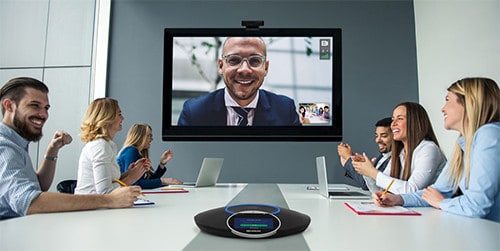
Simultaneous Interpretation of language by interpreter


 Zoom Translation Feature: 


A translator is not needed to be present physically to translate a text.  It can be provided virtually. Through digital applications, a translating service could be provided by sitting in any corner of the world. However, Zoom Translation feature offer live and offline translation in the form of captions. As compared to interpretation it is less time-consuming. It does not take even half of the time as interpretation. The translation appears simultaneously and the participant can read it in no time. It's easy to read and comprehend the meaning of the original speaker. It does not involve the wrong conveying of perception of the interpreter. The user will read and comprehend the meaning according to his/ her perception and there is no one to blame for the wrong conveying. The reader of the caption does not have to concentrate and focus on the dialect of the language. The translation is written and easy to grasp and understand. It is most of the time accurate and artificial intelligence is involved to translate. It also offers productivity in a meeting. Zoom translations offer improved accessibility and the participants are more engaged with this feature. The understanding of the context of the conversation is simultaneous. 


Conclusion: 


Zoom simultaneous Interpretation and Zoom Translation features are variedly different and offer value to the users of Zoom. Hence, the audiences of these two services are entirely different. No service has privilege over the other as it depends on the preferences of the individual users to choose which options they like to go with. Languagers is also adding great value to the services of interpretation and translation. Check it out! 

Monday, August 2, 2021

HOW MICROSOFT TEAM SIMULTANEOUS INTERPRETATION WORKS?

 Microsoft Team and Zoom for Simultaneous Interpretation

Microsoft Team is a video calling and conference company. It is a technology-driven initiative and believes in innovation, diversity and inclusion, and corporate social responsibility. It’s on worldwide locations and contains a large global network. Microsoft is a guardian to your photos, videos, chat history, and meeting notes. It has provided convenience to chat, meet, call and collaborate. The products it offers are online meetings, video conferencing, screen sharing, custom backgrounds, and virtual events. Microsoft Team Simultaneous Interpretation is making a huge impact on people’s business meetings. Let’s explore how simultaneous interpretation works? 

No interpretation feature: 

Microsoft Teams offer no interpretation feature like other video conferencing applications. But it offers interpretation in a separate app and browser. It requires two meetings’ windows one in the original language and the other in the language required. Running a multilingual conference is not an easy task. Training is needed for interpreters, conference organizers, broadcasters, AV professionals. Microsoft Team also offers a paid version that consists of E1, E3, E5, or enterprise. It provides simultaneous language Interpretation through Integrated apps. These apps can be opened in another browser while using pc. Also, they could be downloaded too. 

Zoom, Kudoway, and Interprefy commonly used integrated apps:  

Microsoft Teams offers integration with the applications that count on Zoom, Kudoway, and Interprefy. These applications need to be downloaded or opened in another browser to listen to the Interpretation.  They are commonly used and widely popular regarding Simultaneous Interpretation. Microsoft Teams do not exhibit a feature of Simultaneous Interpretation. 

How does Microsoft Teams Integration work? 

Microsoft Team is an umbrella term that contains project management, file sharing, and business intelligence, to work on one board with the compilation of the huge data under one roof call Microsoft Teams. It contains several apps to make the user work on different aspects while staying connected to the Teams. Its language Interpretation works simultaneously with the apps like zoom, Kudoway, and Interprefy. They have a separate interface to enable simultaneous language Interpretation. In addition, Languagers have interesting content on Zoom Simultaneous Language Interpretation. 

language Interpretation for video conferencing

Interesting Facts about Microsoft Teams 

Microsoft Teams have exciting facts beyond its language Interpretation and integration with applications. It’s a chat app and the chat function it holds offer private and group chatting with many features. One of the interesting chat features is its formatting and emoticons. Its fast connection with the person to whom the user wants to talk is error-free and swift. It immediately connects you to the other person with just one click away. Many users have a claim and praised the security feature of Microsoft Teams. Its two-factor data authentication and data encryption offer reliable safety to the user. It also syncs the calendar for meeting schedules and more. 

Simultaneous Interpretation with Zoom and its features:  

Zoom Language Interpretation deals in nine major languages. It has an audio channel for the interpreter. Interpreters get to assign their roles in the meetings and interpret the target language to the listener. Zoom Simultaneous Interpretation feature offers all the roles in the hands of the host. Even a co-host cannot make changes and assign the role in a conversation happening. It also offers a free version to use. It is the most popular integrated app and uses widely for Simultaneous Interpretation. It also has strong competitors like Google Meet and Webex but Zoom is used by millions. 

Conclusion: 

Microsoft Teams is a mother term that offers chat and video conferences but for simultaneous Interpretation, integrated apps work to enable this feature. It’s do not exhibit an inbuilt feature in Microsoft Teams. However, the interface is convenient to use and the applications are light in size to download and listen to the interpretation. They can also be opened in another browser and used. 

Tuesday, July 20, 2021

COMPARISON BETWEEN LANGUAGE INTERPRETATION FEATURE BY ZOOM AND GOOGLE MEET

 Google Meet in video conferences for multiple Language

Language Interpretation Feature by Zoom and Google Meet are the features used widely for meetings and webinar purposes. Virtual working requires tools for video meetings. This pandemic has restricted the people to their homes but working must go on. Multilingual take part in video conferences and meetings hence a wide variety of interpreters also requires to meet the demand. Zoom and Google Meet are providing Language Interpretation Features to make the flow of work convenient but what to choose? Come let’s find out. 

Zoom Language Interpretation Feature: 

Zoom is in use of millions of people and its popularity has increased immensely in this pandemic that counts on from 10 million download to 300 million. It’s massive! 

Manual Enabling of Interpretation Feature  

It allows the host to assign the roles of an interpreter during meetings. It works manually. While scheduling the meeting the feature must be enabled to add interpreters. Otherwise, the interpreters are added as a participant of meetings and they have to sign in additionally in the meeting through different id. 

Controls are in the hands of the Host: 

The main host is the controller of the meeting. All rights are with him/her to add or delete the participant. The co-host does not have any access to take any decision during the meeting. 

Language Support: 

Zoom only supports nine major languages to interpret. It is not enough to cater to the needs of multilingual participants from all around the world. The languages it caters are English, Japanese, German, French, Russian, Portuguese, Spanish, and Korean. There’s room to add a lot more languages to make it more accessible. 

Free Option: 

Zoom provides free options to use its features with minimum participants and fewer features. 

Language Interpretation Feature in Google Meet: 

In plenty of platforms available for a video conference Google Meet Language Interpretation Feature is the popular one. It is quite reliable but due to the competition, some comparisons should be drawn what to prefer what to not. It also caters to multilingual to ease them during conferences and meetings. Features are relatively the same of all the interpreting tools but some distinctions make one tool a priority over the other.  

Well-organized: 

Google Meet allows the interpreters to make a separate link for the interpreter to add them to the conference or meeting. It does not amalgamate the participants and interpreters on the same link. It is well organized in that sense.  This link building avoids inconvenience if the host forgets to add the interpreter. Interpreters can switch its role immediately without any second option.  

Interface:  

Google Meet offers a user-friendly interface with minimalistic features. People who are not computer literate especially during pandemics many started using these video conference tools. So Google Meet does not offer any difficulty to first-time users too. Each option is easy to navigate. 

 Languages: 

Google Meet offers many languages as compared to Zoom. It offers up to 90 languages to interpret. This feature makes it reliable for people around the globe and does not restrict its reach. 

Language Interpretation by Zoom and its features

 Free Option: 

It also offers it free option to use with minimal features. To get the most of the facilities with a large audience paid version is also available. 

Conclusion:  

With time various more applications will be introduced in this stream of the video conference. Zoom and Google Meet have already their competitors in the market but they are working well. Both of them are offering exceptional integrating services with the other apps. It can’t be said that one is a priority with the other one. Both are doing fine at their places. Languagers aim to create unique content for the visitors so stay tuned for more. 

Wednesday, May 26, 2021

HOW VIDEO REMOTE INTERPRETERS EMPOWER YOUR VIDEO EVENTS TODAY?

Benefits-of-Video-Remote-Interpreters-03


Going through the rapidly shifting times and adapting to new lifestyles and business, one may not ignore the need for remote working tools. While learning about the “new normal” and remote conditions, people from all walks of life are in search of remote working options. With easy-to-use video options now, we all can sustain our conferences, seminars, appointments, and video events with the trusted interpreter. Knowing the fact that you can integrate Interpreters Unlimited (IU) to Google Hangouts, 
Skype, Zoom, WhatsApp for Hard-of-Hearing or Non-English speakers.  

In such a way, the video remote interpreters not only empower your sessions but also can handle the different language and cultural barriers that you may face. Companies of all sizes rely on these reliable and professionally trained videos remote interpreters (VRI) to carry on their daily tasks. These professionals are trained, know how to get things moving and handle video events with full confidence. Keeping these trained individuals by your side means that you may also correspond to your existing contracts.  

Video Remote Interpreters for Your Video Events  

So why are these video remote interpreters important for your events? Nowadays, the assistance of these video interpreters helps in compliance with isolation and remote work. People can still organize conferences, video events, discussions and meetings with video remote interpreter through video translations. Other advantages are shorter travel time, higher participation rates, lesser expenses, more attention, more accessibility, convenience, and lower risk of events cancellation. On the other hand, these professionals have VRI experience which let them work with clients throughout the world.  

To provide financial relief and faster service to your video event, 1these video remote interpreters is of utmost significance. At this unsurpassed moment, it’s important to quickly get information from the people with whom you work in your language. Having video events in the language of those specific communities, help in different ways. Watching the manifestations of video interpreters and understanding that they know what is going on and the capability to help in communication can enhance the productivity of video events. These interpreters provide smooth communication for various settings that require an instant link to make the conversation easier. 

Professionally trained videos remote interpreters (VRI)

Benefits of Video Remote Interpreters 

1. Accessibility and Cost-effective  

Today, video remote interpreters enable healthcare and businesses professionals to build more profound interactions and reduce the risks of errors caused by the translation. These interpreters take care of the language barriers affecting communication. These interpreters are inexpensive professionals for your events, and you don’t need high-priced software or hardware to take advantage or help. For these reasons alone, remote video interpreters will be needed more in the next few years. 

2. Smooth Operations and Communication 

For your video event, the correct interpretation of information is essential. Remote video interpretation makes it easier for the interpreters to have more personal connections and improved communication. This not only improves the conference messages but also make smooth operations and speech delivery. From becoming a perfect solution to bridging the gap between on-site interpreting and telephone interpreting, video remote interpreters have got you covered. 

3. Quality Assurance 

It is important to have remote video interpreters who specialize in certain fields to have an accurate understanding of what is being explained. If the interpreter working in these situations, is not properly trained then the conference participants will bear the consequences. In addition, the remote video interpreter is authorized to practice ASL in such working conditions. This enables businesses and agencies to comply with federal and state laws. 

Wrapping Up  

The combination of visual aids and the help of video remote interpreters not only improve your video events but also increase communication and viewership. At Languagers, we view interpretation as an interactive experience and it’s a way of life that make things easier. It enables hard-of-hearing individuals, people with impaired English skills and others to feel what others hear and see. The nationwide promotion of video remote interpreters is greatly enhancing the overall virtual experience of people, especially in video events.  

Tuesday, May 25, 2021

ONLINE INSTRUCTORS' GUIDE: VIDEO CONFERENCES IN EDUCATION

 Are you a teacher who is planning to create videos for her students to improve their academic performance? In today’s fast-paced globalized environment, this is now a fundamental prerequisite to creating online content. In this environment, students want their teachers to respond to new technologies. Regrettably, although teachers want these children to be ecstatic, generally these teachers do not know that how to make videos online or deliver courses, as their budget is also inadequate which in turn limits their training options. So, worry no more and get a comprehensive understanding of video production from start to finish here, and explore simple ways to effectively create and deliver video content online. Being an online instructor isn’t difficult anymore with our article listing down the key points, so let’s make things easier for you. 

benefits and implementation of such video conferences

As a teacher, you have lesser time to be adapted to the “new normal” aka online classes. You will face the challenges of having conferences with the growing expectations of your students. Moreover, every mentor who wants to deliver more or a person struggling to work online should be familiar with video conferences. Want to know about the online video conferencing platforms, or whether the existing apps have errors, then let’s discuss things your way. Studying and working at home must not be a problem for you. To help you as a teacher, here are some of the basic tips that can get you started: 

Top Fail-Proof Tips to Help You with Online Video Conferences  

First things first, sit in front of the daylight so the video is crystal clear, and you should not hide the illumination behind. In addition, the lights or windows behind the screen should be working properly. You should also ensure that your name appears in the attendee list and your details are confidential. Consider your experience and how you want things to go therefore make things simple so that no object can distract you. For better results, you should come up with a simulated background to replace the informal Zoom environment, which is an interesting choice. What’s next? Are you turning the camera off and on? If the number of individuals in the conference is less, then turn the camera on. You can show your head and shoulder in the meeting room or can go for the unmute or mute option in case of any distractions. In addition, there may be cases when two or more teachers have joined a session together then please mute the microphone immediately after logging in if you are not the host. 

Do you need to answer a call? Retreat from the video session and please make sure that the video app is on mute. Moreover, you should also mute when you are not addressing things as it’s how you maintain respect in conferences. What is the top practice for hosting a host video conference? if you want to schedule a Webex or Zoom meeting, then please include your full login info in the conference invitation. Begin the conference earlier and the first thing that you need to do is to explain the agenda, topic and objectives. The complete list of instructions is a terrific thing that you can provide to attendees to have smooth interactions.  

Summarizing up 

In recent years, the use of video conference has surged especially for teachers due to the global pandemic. It is now a basic and crucial tool for instructors to rely on video conferences for education. These calls have sprung up to accelerate conversations and improve the education sector as we all are still at home and online. We at Languagers, exactly that how important it is for teachers to understand the benefits and implementation of such video conferences.  

Monday, May 10, 2021

HOW ZOOM IS CHANGING AMERICAN SIGN LANGUAGE?

It’s 2021, and undoubtedly no one is now a stranger to video chats. But ever heard about American Sign Language (ASL) before? Since 1927, this ASL interpretation is right there from the very beginning but with the 2020-COVID-pandemic restraining individuals to be isolated – the platforms for instance Skype, Webex, Zoom and several others got the much-needed hype. This is a result of altered aspects of American Sign Language as people are willing to rely completely on such video conferencing platforms.  

ZOOM IS CHANGING AMERICAN SIGN LANGUAGE

Zoom – Support for Deaf or Hard of hearing People 

When we talk about Zoom, the consecutive meetings and online sessions attended by thousands of individuals highlighted the need for this platform. On the other hand, the limited size of the window during Zoom’s video meetings indicates the issues that may arise for people with hard of hearing or deaf individuals. Though, zoom screen enables people to show the hand-moves but displaying of sign languages isn’t that effortless.  

This is so because several signs cannot be properly made in the dimensions of the Zoom screen. For instance, sign language interpreters demonstrate and make signs of “body” by making “B” with hands and must move it till the hips from the shoulders. But with Zoom, due to lesser space – interpreters are unable to deliver the expected signs. So, how Zoom influences the overall sign language system? Zoom’s other feature is the pre-recorded video that favours individuals to focus and learn more. And this, in turn accommodates interpreters to experience virtual classes. 

Knowing the fact that American Sign Language’s grammar is related to the facial expressions, we should know that several faces are there during a Zoom video conferencing session. As compared to class, the students are more attentive during Zoom but the teacher or interpreter needs to repeat things as students might not see signs visibly. For sign language classes, teachers make use of cards or other physical tools, which aren’t possible in Zoom. Although Zoom can help to have card games but the virtual aspects aren’t the same anymore and rather than passing out the cards – emailing them isn’t that simple. 

Sign Language and Means of Communication 

With Zoom, sign language interpreters not only go slower but also try to make things or signs with a single hand. By repeating the sign on a tiny conference screen and making smooth angles with their bodies, they bridge the gaps of communication. Moreover, people need to make sure that each sees the hands of the other individual. It is significant to understand the sign languages and the thing which should be kept in mind while adapting to Zoom. When the signs are away from a person’s body but in the forward motion, they often demonstrate the future tense while the opposite is the case with past tenses.  

The sign languages are not easy to detect on a Zoom’s video conference. In such a case, interpreters or teachers must write the content down or make the sign with the body and hands by keep on moving. Besides, sign language often requires more space for instance pointing or indicating at someone hence this might not go smooth for video conferencing platforms like Zoom. These things might return when individuals do one-on-one interactions as sign languages require specific physical movements and have strong identities.  

Final Verdict  

Though Zoom empowers deaf individuals as it offers both text and video chat, but the uninterrupted Zoom’s use may constrain and shape the sign languages like never before. Moreover, the environment, individuals we communicate with or other tools may be a contributing factor in such communicative and language practices. At Languagers, we understand the significance of virtual learning platforms like Zoom and offer our services for your growth and convenience.  

To know more about American Sign Language, feel free to contact us and have a discussion!  

ASL VIDEO INTERPRETATION SERVICES: HOW DO THEY HELP PATIENTS WITH HEARING DISABILITIES?

Although American Sign Language (ASL) interpreters play a crucial role for the people and especially for the whole deaf community but the ad...